You can now control when and how your Bulk WhatsApp messages are sent.
What’s new
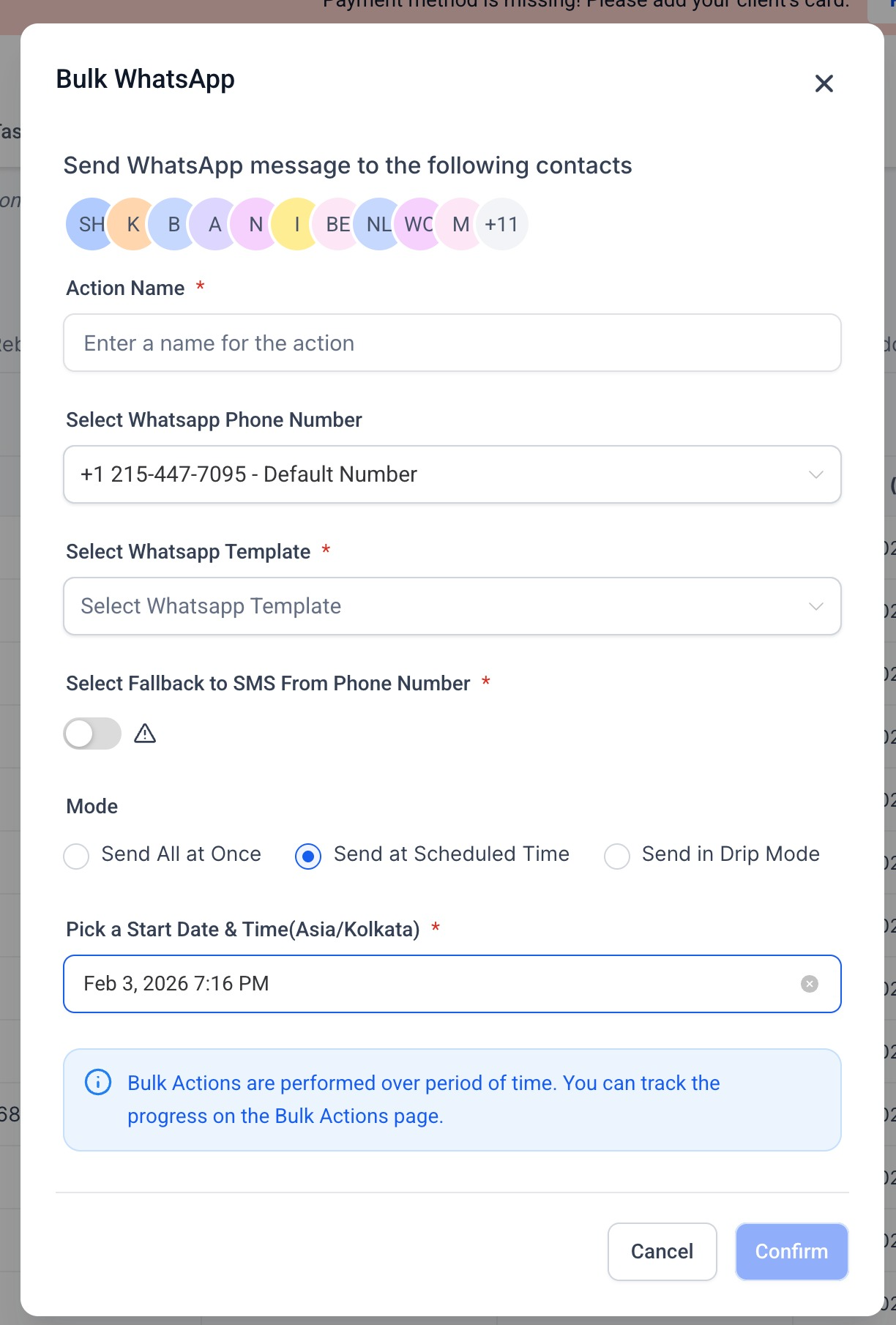
• Schedule Bulk WhatsApp messages to send at a specific date and time
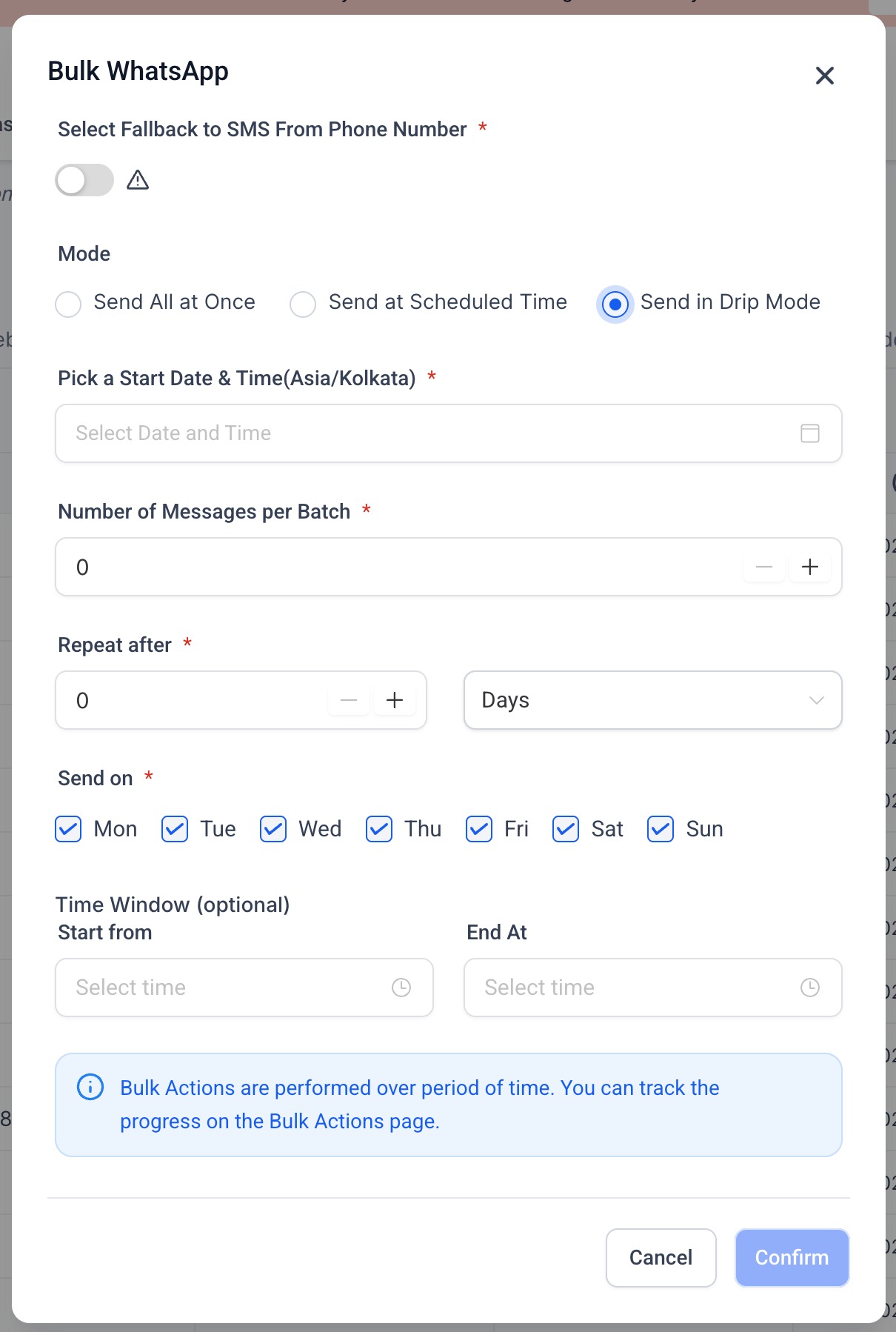
• Use Drip Mode to send messages gradually in batches instead of all at once
• Configure batch size, repeat intervals, and specific days for delivery
• Optionally restrict sending to a defined time window
• Track progress easily from the Bulk Actions page
How to Use
• Navigate to Bulk Actions → WhatsApp
• Select contacts and a WhatsApp template
• Choose a sending mode:
• Send at Scheduled Time for one-time delivery
• Send in Drip Mode for phased delivery
• Configure timing, batching, and repeat rules
• Confirm and monitor progress from Bulk Actions
This update helps improve message delivery, avoid sudden spikes, and gives you better control over large WhatsApp campaigns.
Was this article helpful?
That’s Great!
Thank you for your feedback
Sorry! We couldn't be helpful
Thank you for your feedback
Feedback sent
We appreciate your effort and will try to fix the article